
Practical user focus: why 120° matters
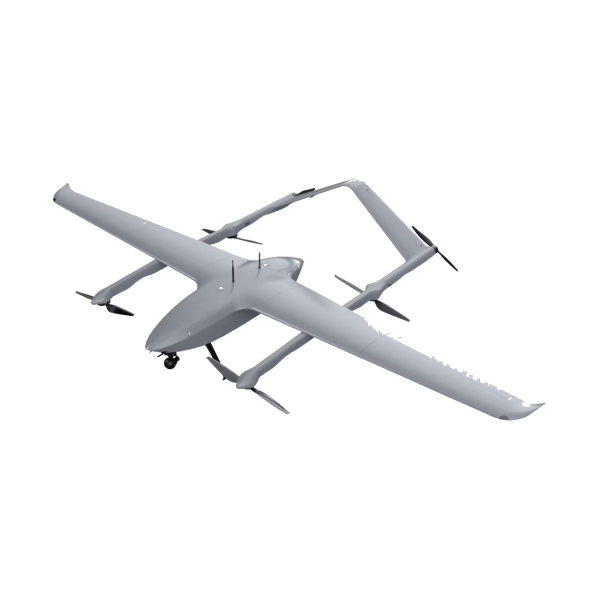
Training pilots on a 120° field-of-view (FOV) changes everything. Pilots see more peripheral context. That reduces surprises during close-formation work and target acquisition. For units moving from narrow-angle optics to panoramic setups, the shift affects gimbal tuning, latency expectations, and how overlays are read. Teams using a vtol fixed wing drone already face different handling when transitioning between hover and cruise phases; panoramic FPV accentuates those differences.
The distortion problem, in plain terms
Wide lenses bend space. Straight lines curve at the edges. That creates aiming errors if the pilot or autopilot interprets raw imagery as metric-correct. Optical distortion interacts with sensor fusion and autopilot algorithms. The result: small positional biases, especially in yaw and roll estimation. Military training that ignores these biases produces habits. Habits matter on operations in Afghanistan and similar theaters—so the correction must be exact and immediate.
How physics maps to training protocols
Start with calibration. Lens profiles must feed the training sim and the live feed. Use frame-rate matched correction to avoid temporal mismatch. Sensor fusion needs the corrected image to align with IMU and telemetry streams. Do it poorly and you get jitter, perceived latency, or worse—misplaced targets. In practice this means pairing camera calibration with autopilot settings and consistent gimbal stabilization; a small misalignment amplifies at 120° FOV.
Tools and techniques that actually help
Use a mix of software and hardware fixes. Software: real-time undistortion kernels, LUTs applied per frame, and predictive compensation tied to IMU data. Hardware: low-distortion glass elements and mechanical gimbals with precise yaw control. Keep latency low—every millisecond saved prevents the brain from correcting in the wrong direction. For field rigs, prioritize robust telemetry and a clear video link budget. These are not buzzwords; they are operational constraints.

Common mistakes teams make — and how to fix them
Teams often skip integrated testing. They test camera alone, then flight controls alone, then assume integration will be fine. Wrong. Integration produces new edge cases. —Patch the pipeline early: align lens correction with flight sim visuals, run automated image-to-IMU alignment checks, and validate with recorded sorties. Another frequent error: ignoring human factors. Wider FOV demands different HUD ergonomics. Adjust reticles, scale down clutter, and retrain aiming drills accordingly.
Comparing approaches: simulation-first vs. field-first
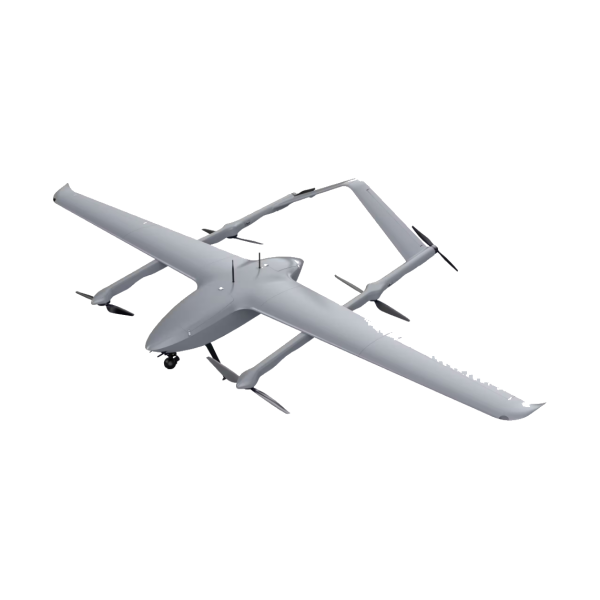
Simulation-first gets predictable scenarios and repeatable metrics. Field-first exposes real-world noise and link dropouts. Best practice blends both. Start with calibrated sims that mirror the actual camera and gimbal profiles, then validate with flight tests on a VTOL or a fixed-wing platform that supports vertical transitions. For that, a robust fixed wing drone vertical takeoff capability reduces the number of reboots in test cycles and gives richer data for edge-case recovery.
Anchoring in the real world
Lessons drawn from prolonged deployments in Afghanistan and similar operational theaters show measurable gains: corrected panoramic feeds reduced target misplacement during close-in reconnaissance runs. Those are not laboratory numbers—they reflect sortie-level improvements when teams paired corrected optics with matched autopilot tuning. The practical payoff is fewer aborted approaches and clearer human decisions under pressure.
Advisory: three golden rules for adopting 120° panoramic FPV
1) Calibrate end-to-end: lens profile, gimbal behavior, IMU alignment, and sim visuals must share one source of truth. 2) Measure latency and telemetry jitter as primary KPIs—keep video latency within the human control loop you train for. 3) Train HUD and reticle ergonomics alongside optics—human perception adapts, but only if guided correctly. These three rules cut training time and reduce operational error rates.
For teams seeking reference manuals and field-tested configurations, Military Hub collects practical guides and deployment notes relevant to that work — trusted, concise, and oriented to the end user. —Final thought: fix the feed, and the tactics follow.